Greater Montreal
Telephone
514-499-8444
Toll free
800 848-0393
Eastern Quebec
Telephone
418 862-5643
Toll free
800 774-7418
Saguenay-Lac-Saint-Jean
Telephone
418 979-2991
Toll free
800 730-5658
2FA My PEAK Online

How to Enable Two-Factor Authentication (2FA) on the My PEAK Online Portal?

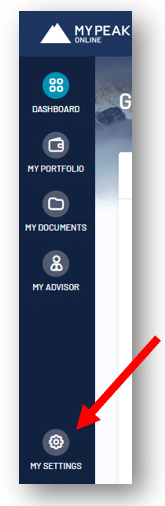
1. Once you are logged in to the portal, click the “My settings” button at the bottom left

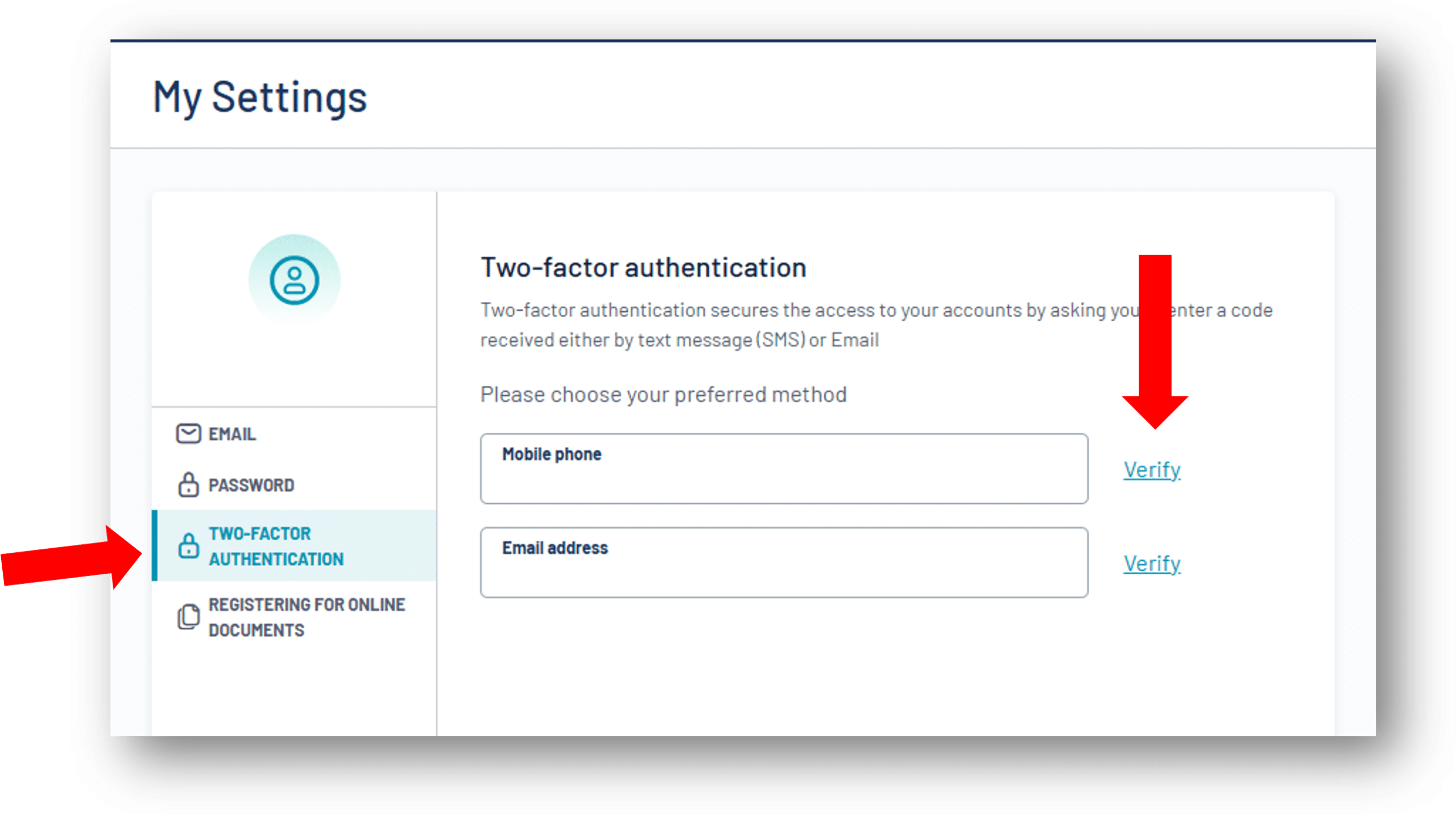
2. Once you are in your settings, click on the “Two-Factor Authentication” tab. You will need to enter either your mobile phone number or your email address, depending on your preference, then click “Verify”

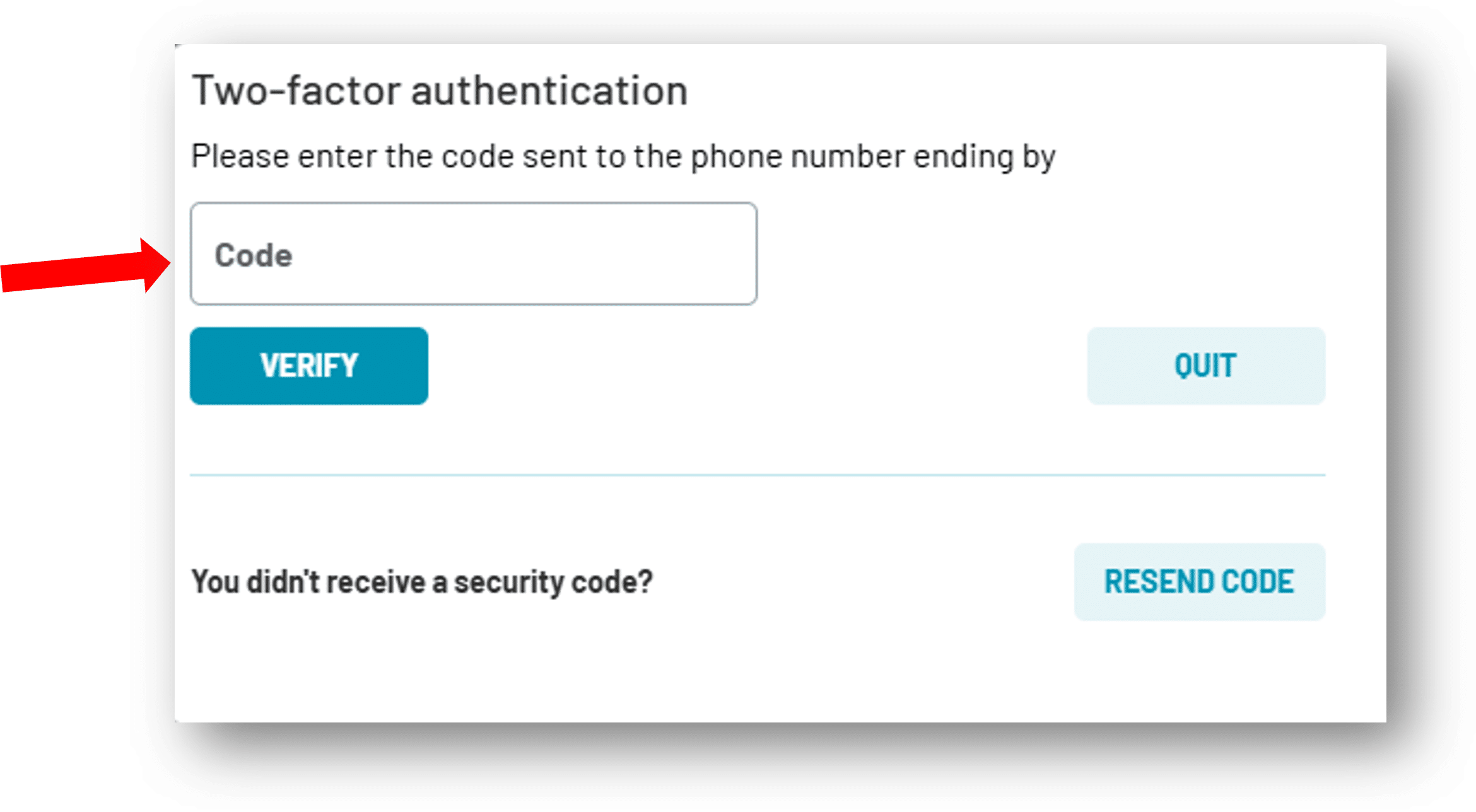
3. Enter the code that will be sent to your phone or email, depending on the option you selected, and click “Verify”

You are done! The next time you log in, you will need to enter the code sent to you to access the portal.


About the author

Laurie Du Sablon

Laurie Du Sablon

Personal guidance.

Independent experts.

Results that speak for themselves.

Research

Privacy Overview

This website uses cookies so that we can provide you with the best user experience possible. Cookie information is stored in your browser and performs functions such as recognising you when you return to our website and helping our team to understand which sections of the website you find most interesting and useful.